
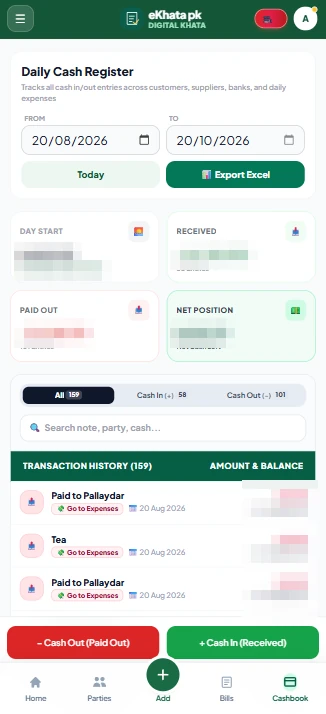
What do I need to start using eKhata?
A smartphone or a computer with a browser, and an internet connection. Message our team on WhatsApp and they create your account and send your login. You do not need to know accounting.
No accounting degree needed. We set up your account and you do your day the way you always have, on your phone instead of the register.
Tell us what kind of shop you run. Our team creates your account, sends your login and starts your 7-day free trial. There is no sign-up form to fill and nothing to install first.
Enter each customer's and supplier's current balance as an opening balance, and your products with their unit, opening quantity, buying price and selling price. You do not have to retype the whole register. Start with the people and items you deal with most.
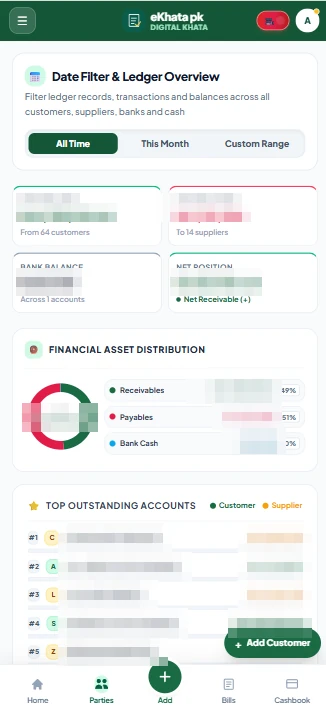
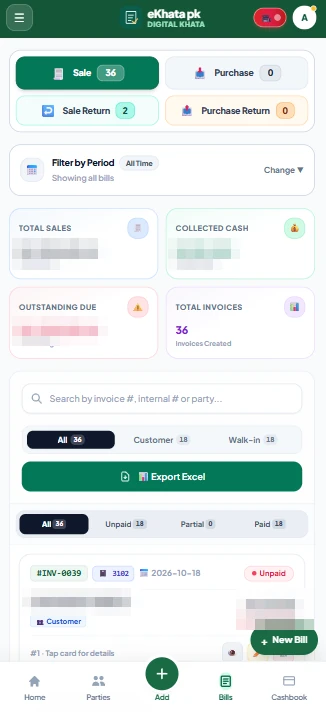
Make a bill when you sell, record a payment when money comes in, and note an expense when you spend. One bill updates the customer's khata, the stock and the cash book together, so you never write the same thing twice.
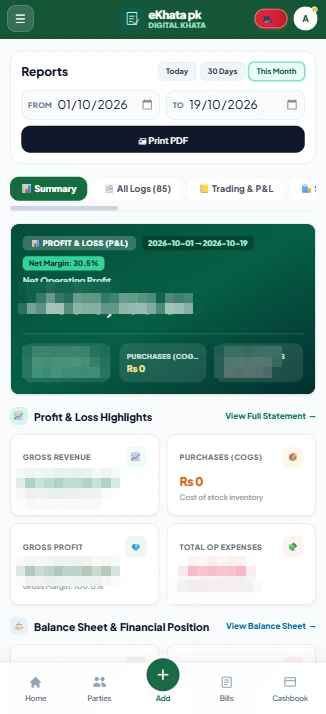
In the evening, match the drawer against the cash book. Whenever you like, open the reports to see your profit and loss, your balance sheet and what customers still owe you. Send a WhatsApp statement to anyone who is overdue.
Open eKhata. Yesterday's closing cash is today's opening balance.
Bill each sale, record each payment and note each expense as it happens.
Match the drawer with the cash book. A difference shows the same day.
Run payroll, read the profit and loss report and send statements to overdue customers.
Pick a question to see how eKhata works, what it costs and how to get started.
A smartphone or a computer with a browser, and an internet connection. Message our team on WhatsApp and they create your account and send your login. You do not need to know accounting.
No. Enter each customer's and supplier's current balance as an opening balance and each product's opening stock. From then on every bill and payment updates them for you. Our team can help you with the first entries.
Yes. You can create staff logins with permissions for each module, set to view, edit or none, so each person sees only what their job needs.
Your entries are saved to the cloud and backed up daily, so a lost phone does not mean lost records. You log in on any device and your khata is there.
A smartphone or a computer with a browser, and an internet connection. Message our team on WhatsApp and they create your account and send your login. You do not need to know accounting.
Message us on WhatsApp for a 7-day free trial. Our team will set up your account and help move your existing khata.